
Replacement lithium ions

Now that I have realized how useful the wiki could be for storing notes, I have decided to buy a new battery for the iBook. Less than one hour of unplugged time does not mesh well with several seminars or lectures a day.

Having a searchable, durable database of notes is worth the $160 cost of the battery. Also, since I will have two, I can continue to abuse the old battery by recklessly depleting it a third or the way, then charging it again.

Unfortunately, there is no chance of me actually getting it before this Friday’s climate conference in Reading.

[Update: 11 October 2006] I have cancelled the web order for the battery, as it seems like I wouldn’t actually get it until mid-November. I expect Apple is backed up on battery orders because of the Sony fiasco. I will just buy a battery in a shop, either in Oxford or London.

[Update: 31 October 2006] After 214 cycles, the battery seems to have suffered a critical failure. Now, even when apparently 3/4 full it will sometimes fail completely, causing the iBook to abruptly turn off. This is not a calibration issue; I have tried re-calibrating the meter several times.

Thankfully, I will be able to buy a new one in London in eight days.

[Update: 13 October 2008] My original iBook battery has now failed completely. It cannot run the computer for even a fraction of a second, the LED charge display on the bottom of the battery doesn’t work, and the computer often cannot detect that the battery is present.

Protecting your computer

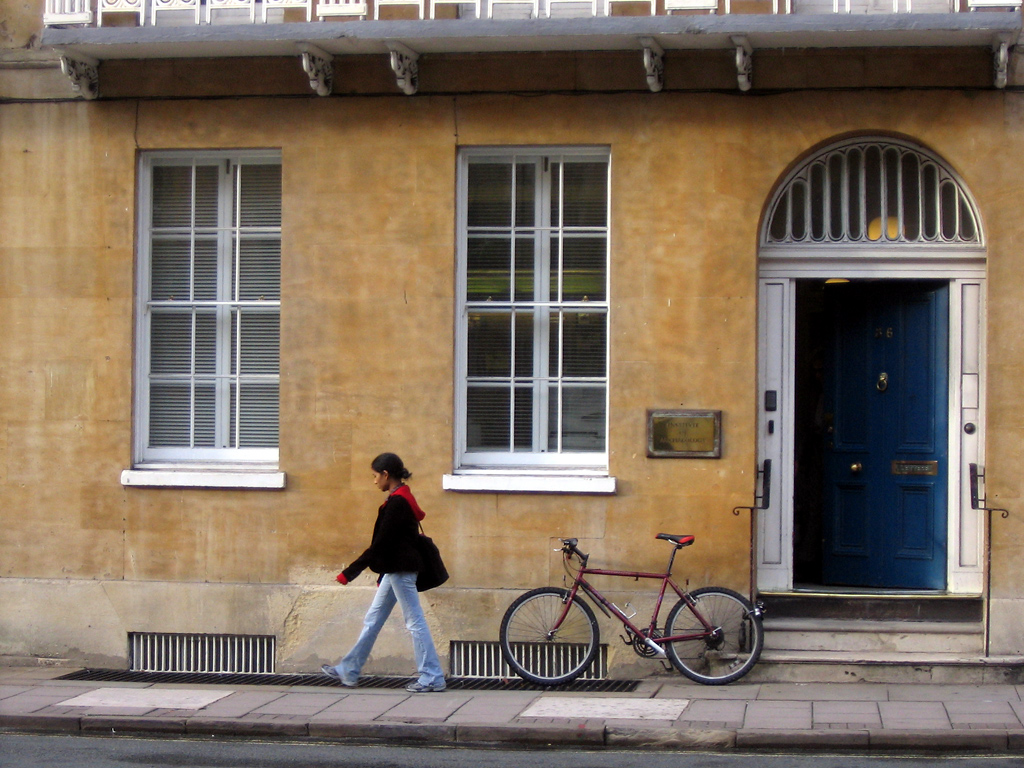
Beaumont Street, Oxford

At least once or twice a month, someone who I know endures a computational disaster. This could be anything from a glass of wine spilled on a laptop to some kind of complex SQL database problem. In the spirit of Bruce Schneier, I thought I would offer some simple suggestions that anyone should be able to employ.

The most important thing is simply this: if it is important, back it up. Burn it to a CD, put it on a flash memory stick, email it to yourself or to a friend. The last thing you want is to have your laptop hard drive fail when it contains the only copy of the project you’ve spent the last month working on.

Now, for a quick list of tips. These are geared towards university students, not those with access to sensitive information or large amounts of money:

  1. Do not trust anything you see online. If you get an email from ‘PayPal’ or your bank, assume it is from someone trying to defraud you. It probably is. Likewise, just because a website looks reputable, do not give it any sensitive information. This includes passwords you use for things like your bank.
  2. Never address email messages to dozens of friends. Lots of viruses search through your computer for email addresses to sell to spammers or use for attacks. If anyone in that fifty person party invitation gets a virus, it could cause problems for all the rest. If you want to send emails to many people, use the Blind Carbon Copy (BCC) feature that exists in almost all email programs and web based email systems.
  3. If you run Windows, you must run a virus scanner. All the time. Without exception. If you run a Mac, run one in order to be sure you don’t pass along viruses to your friends. Both Oxford and UBC offer free copies of Sophos Antivirus. Install it and keep it updated.
  4. Run a spyware and adware scanner like AdAware often. If you are not doing advanced things with your computer, be proactive and use something like Spyware Blaster. (Note, some of the patches it installs can cause problems in rare circumstances.)
  5. No matter what operating system you run, make sure to apply security updates as soon as they come out. An unpatched Windows XP home machine is basically a sitting duck as soon as it is connected to the internet. See this BBC article.
  6. Only install software you really need. Lots of free software is riddled with spyware and adware that may not be removed when you uninstall it. Especially bad for this are some file-sharing programs. If you do any kind of file sharing, the importance of having a virus scanner becomes imperative.
  7. Never use secret questions. If you are forced to, fill the box with a long string of random letters and numbers. If you cannot remember your passwords, write them down and guard them like hundred dollar bills.
  8. For your web browser, use Firefox. Safari is fine, but you should never use Internet Explorer. If a website forces you to (especially something like a bank), complain.
  9. If there is something you really want to keep secret, either keep it on a device not connected to any network or encrypt it strongly. A user-friendly option for the latter is PGP. Whether it is some kind of classified research source or a photo of yourself you never want to see on the cover of the Daily Mail (once you are Prime Minister), it is best to encrypt it.
  10. Avoid buying compact discs that include Digital Rights Management (DRM). Many of the systems that are used to prevent copying can be easily hijacked by those with malicious ends. See one of my earlier posts on this.
  11. If you have a laptop, especially in Oxford or another high theft area, insure it. They can be stolen in a minute, either by breaking a window, picking a lock, or distracting you in a coffee shop. Aren’t you glad you made a backup of everything crucial before that happened?
  12. If your internet connection is on all the time (broadband), turn your computer off when you aren’t using it.

Basically, there are three big kinds of risks out there. The first is data loss. This should be prevented through frequent backups and being vigilant against viruses. The second is data theft. Anyone determined can break into your computer and steal anything on there: whether it is a Mac or a PC. That is true for everything from your local police force to a clever fourteen year old. Some of the suggestions above help limit that risk, especially the ones about security updates and turning off your computer when it is not in use. The third risk is physical loss or destruction of hardware. That is where caution and insurance play their part.

If everyone followed more or less this set of protocols, I would get fewer panicked emails about hard drives clicking and computers booting to the infamous Blue Screen of Death.

[Update: 6 January 2007] The recent GMail bug has had me thinking about GMail security. Here are a few questions people using GMail might want to ask themselves:

  1. If I search for “credit card” while logged in, do any emails come up that contain a valid credit card belonging to me or to someone else? I only ask because that is just about the first thing that someone malicious who gets into your account will look for. “Account number” and similar queries are also worth thinking about.
  2. Can someone who gets the password to my Facebook account, or some other account on a trivial site, use it to get into my GMail account?
  3. Have I changed the password to my GMail account in the last few weeks or months?

If the answer to any of those is ‘yes,’ I would recommend taking some precautionary action.

More split nuclei

On 16 July 1945, the United States did it. The Soviets followed suit on 29 August 1949, followed by the UK on 3 October 1952. The French followed on 13 February 1960, followed by China on 16 October 1964. On 18 May 1974, India joined the club, with Pakistan doing so on 28 May 1998. Israel and/or South Africa may have tested on 22 September 1979, in an incident detected by an American satellite.

As of 9 October 2006, North Korea seems to have tested a nuclear bomb. It makes you wonder how many more states will do so in the next fifty years, as well as what the security character of the Southeast Asian area, in particular, will be by then.

That said, while they seem to have scientists and engineers capable of making nuclear weapons, the North Koreans don’t seem to have staff capable of producing a particularly cogent English press release:

The nuclear test was conducted with indigenous wisdom and technology 100 percent. It marks a historic event as it greatly encouraged and pleased the KPA and people that have wished to have powerful self-reliant defense capability.

Since this test was pretty clearly meant for American audiences, you might have expected them to pay more attention to their wording. I suppose multi-kiloton underground blasts speak louder than press releases.

Despite such nationalist rhetoric, the test seems more likely to endanger the average North Korean than help them. In the short term, there is the danger that someone will try to strike their nuclear capability before they develop credible delivery systems. Also, as The Economist identifies: “[T]he immediate threats from North Korea’s new capability come from radioactive leaks into the atmosphere and North Korea’s groundwater.” Finally, the test risks sparking a nuclear arms race in Asia that threatens the security of the whole region, at least.

[Update: 1:30pm] Based on my server logs, lots of people have been looking for these photos of test sites in Nevada during the last few days. Google still hasn’t figured out that this site has moved to WordPress. In any case, the photos show one of the ugly legacies of testing and reinforce the point that, while world should be moving towards nuclear disarmament, the converse seems to be taking place.

Great circles and airline routes

When flying between western Canada and England, it sometimes seems surprising that such a northward trajectory is followed. On my way back to Vancouver, for instance, we were treated to an aerial view of Iceland’s unique landscape. Of course, the reason for the path is that the spherical character of the earth is not well reflected in standard map projections. The most famous – the Mercator projection – is arranged such that a straight line drawn on the map will correspond to a course that actually passes through each point on the earth depicted. This kind of map is called ‘conformal.’ As such, the notorious distortion (enlarging the apparent size of polar regions while reducing that of equatorial ones) is an emergent property of its design.

That said, the most efficient course between any two points on the globe is probably not the one that connects them on a Mercator projection line of the shortest distance. Mathematically, the most direct course is based on what is called a ‘great circle.’ That is to say, imagine marking your present location and your destination using a marker on an orange. The line you could draw all the way around, intersecting both, is the great circle. The line segment between the points is the shortest distance that can be transcribed between them on a sphere (or near-sphere, in the case of the earth).

Unless you are going due north, due south, or straight around the equator, actually following a great circle path requires constantly changing your heading. This is because of how the line you are on does not maintain a constant bearing with respect to either magnetic or true north. In the days before computers and long haul air travel, few people would probably have bothered to calculate great circle courses. A more venerable option can be found in the Rhumb line. Now, GPS and autopilot systems have made doing so all but automatic. Hence the genesis of those gracefully arcing lines printed in your in-flight magazine.

On a separate note, the precision of modern location and navigation systems in aircraft can sometimes cause problems. (Via Philip Greenspun)

The awesome power of hardware

Is anyone else surprised by how emulated versions of games originally written for a machine with a 16-bit, 3.58Mhz processor can strain the capabilities of a computer with a 1300Mhz processor? The second machine has 363 more processor cycles per unit time, and a staggering 10,000 times more RAM. Dedicated chips are awesome; hence, the superiority of digital cameras that use hardware interpolation (all Canon cameras, for instance), as opposed to those that use software to interpolate using generic chips.

That said, it cannot really be denied that Super Metroid is the best of the Metroid series, Super Mario World is the best Mario game, and A Link to the Past is the best Zelda. Final Fantasy VII may narrowly beat Chrono Trigger as the best console RPG.

Trading sub fusc for a shirt and tie?

Trinity College gates, on Parks Road

Having thought about it a good bit in the last week or so, I now think it is more likely that I will work for at least one year after I finish this degree, rather than going straight into another one. The reasons this seems intelligent include the following:

  1. When this program ends, I will have been in school for twenty consecutive years, with a few (mostly bad) minimum wage jobs mixed in. Actually seeing the world from the position of a mythical ‘real job’ will help me to make a smarter decision, with regards to whether I should do a PhD.
  2. I am already positively daunted by the thesis. With that in April and four Oxford examinations in June, the stress of crafting custom PhD applications to excellent schools might be a bit much.
  3. Seeing student debt numbers go down instead of up is an idea with appeal.
  4. I will need three references from Oxford for PhD applications. My advisor is one. If I am forced to use both of the people teaching my optional paper this term, there is a lower chance of getting a really good collection of references. I didn’t really interact with the people who taught the core seminars last year for them to serve as thorough references. If, however, I make a point of cultivating the four optional paper instructors over the course of this whole year, there seems a good chance I can get two more better letters.
  5. Right now, I really need to get the idea for my M.Phil thesis together. Having to come up with a whole other research proposal for a PhD is, again, a bit much.
  6. Not having to worry about the GRE this year would be nice. It would allow me to do more academic work, as well as spend more time enjoying Oxford.

Of course, this decision forces me to do one of the things that I am by far the worst at – apply for jobs. I am not even sure of which country to begin looking for jobs in. Both Canada and the US are plausible, with the UK much less so. A job somewhere really far-flung could certainly be an interesting way to spend a year.

Where do people recommend looking? Options with some appeal include working for government, working for an NGO, writing in a journalistic capacity, or doing anything that provides hands on experience with either ecology or environmental policymaking.

Antidote

Two effective cures for a ‘Depressive Zeitgeist:’

1. Tasty food: specifically, expensive tomatoes cut into pieces, sprinkled with oregano, mixed with chunks of feta, and drizzled with olive oil and balsamic vinegar. Repeat as required.

2. Some sort of engaging web project that, unusually, is not horribly frustrating. In this case, starting a wiki. Feel free to play with it. From now on, it is also the place to report bugs and make suggestions relating to the blog. You can also suggest readings related to my thesis there. I was going to put up a big ‘under construction’ banner, but then I realized that this statement is always already true for a wiki.

Depressive Zeitgeist

Tonight, I spent more than six hours speaking online with a dozen close friends, mostly back in North America. The prevailing mood is one of exhaustion, cynicism, uncertainty, and anxiety. People are going broke and doubting their long-term plans; people are losing faith in the basic moral axioms they have followed, and the basic assumptions that have sustained their efforts.

Hopefully, it is just an analog to the changing of the seasons – as the tilt of this great orb drives us all to spend the greater part of our days in darkness.

On electronic voting

There is some controversy in The Netherlands right now about electronic voting. A group has gotten hold of a voting machine, discovered that the physical and software security therein is very weak, and otherwise established the possibility that determined individuals could significantly impact election results through electronic tinkering.

The advantages of electronic voting are fairly numerous. Firstly, it could be made to happen more quickly. This may advantage the media more than anyone else, but it may as well be listed. Secondly, electronic devices could be made easier to use for people with physical disabilities and the like. Another advantage the system should have is increasing standardization between voting districts. Skullduggery involving dated or problematic machines in districts likely to vote in a certain way has been noted in a number of recent elections. Also, having an electronic record in addition to a paper one could allow for cross-verification in disputed districts. In cases where the results very starkly do not match, it should be possible to repeat the vote, with greater scrutiny.

The answer to the whole issue is exceptionally simple:

  1. You are presented with a screen where you select from among clearly labeled candidates, with an option to write in a name if that is part of your electoral system.
  2. The vote is then registered electronically, by whatever means, and a piece of paper is printed with the person’s choice of candidate, ideally in large bold letters.
  3. For an election involving multiple choices, each is likewise spelled out clearly. For instance, “I vote NO on Proposition X (flags for orphans).”
  4. The voter then checks the slip to make sure it is correct, before dropping it in a ballot box.
  5. These are treated in the standard fashion: locked, tracked, and observed before counting.
  6. The votes are tallied electronically, with a decent proportion (say, 20%) automatically verified by hand.
  7. If there is any serious discrepancy between the paper and electronic votes, all the paper ballots should be counted. Likewise, if there is a court ordered recount on the basis of other allegations of electoral irregularity.

Electronic systems have vulnerabilities including hacked polling stations; transmission interception and modification; as well as server side attacks where the data is being amalgamated. Paper systems have vulnerabilities relating to physical tampering. Maintaining both systems, as independently as possible, helps to mitigate the risks of each separately and improve the credibility of the process. It is like having both your bank and your credit card company keep separate records of your transactions. If they do not match, you have a good leg to stand on when alleging some kind of wrongdoing.

This system could use relatively simple electronic machines, and may therefore actually cost less in the long run than all paper balloting. Critically, it would maintain an unambiguous paper trail for the verification of people’s voting intentions. Companies that deny the importance of such a trail are either not thinking seriously about the integrity of the voting process or have self interested reasons for holding such a position.

[Update: 14 October 2006] The Economist has a leader on electronic voting machines and the US midterm elections. They assert, in part:

The solutions are not hard to find: a wholesale switch to paper ballots and optical scanners; more training for election officials; and open access to machine software. But it is too late for any of that this time—and that is a scandal.

Quite right.