WPA cracked in 60 seconds

WPA is a more secure encryption system for wireless networks than the older WEP system, which was notoriously vulnerable. Now, Japanese researchers have devised an attack that cracks WPA networks using the Temporal Key Integrity Protocol (TKIP) algorithm quickly and easily. So far, WPA2 and WPA using AES are not vulnerable to the attack. On past form, it seems likely that those will eventually become vulnerable to rapid compromise, as well.

The broader point this demonstrates is how attacks always get better and never get worse. As such, the longer any particular system has been deployed, the less likely it is to be secure. Threat analysis needs to be ongoing, and accompanied by the patching and replacement of vulnerable systems. Both because of improving computer power and new mathematical developments, this is especially true when it comes to cryptography. As MC Frontalot explains (in a song that references rainbow tables), “you can’t hide secrets from the future with math.”

Built-in antivirus for OS X

Rumours are circulating that Apple’s Snow Leopard OS will include antivirus capabilities. This is a welcome development. While OS X rightly has a good reputation for security, there is no commercial operating system that is immune from malware. In addition to malware that targets OS X itself, there are also exploits based around flash, Adobe PDFs, and even specific pieces of hardware.

Adding antivirus protection might be a bit of a public relations blow to Apple, which has cultivated a false sense that there is no malware that affects Macs. Nevertheless, it is a good security move. Indeed, the server version of OS X has included such capabilities for some time.

Win a print for commenting

As regular readers will already know, next month I have a photography exhibition at Raw Sugar Cafe (692 Somerset, Ottawa). Some kind of an event corresponding to the opening of the show will be arranged, with details to be published here when known.

As a means of encouraging discussion, the following will be in effect for the time between now and the start of the show: anyone who posts a comment on any of my posts will be entered into a draw for a mounted photographic print of mine which I will select. Each comment will have an equal chance of winning, so people who post more will have better odds.

I will have the print delivered for free (though not necessarily immediately) to anyone in Ottawa, Toronto, or Montreal. Those farther afield would be required to reimburse me for the shipping.

Incidentally, if anyone wants a print of any of my photos, they are welcome to contact me. I am sure we could work something out.

Continue reading “Win a print for commenting”

High-speed stock trading

I had no idea stock markets operated so quickly now:

High-frequency traders may execute 1,000 trades per second; exchanges can process trades in less than 500 microseconds (or millionths of a second).

In addition to showing off just how blazingly fast financial transactions have become, this also demonstrates just how much more precise and reliable some networking hardware is, when compared to consumer stuff.

For the sake of comparison, I sent four packets from my home computer to the server that runs this site. It took them an average of 92 milliseconds to make the journey: 184 times longer than the rate at which exchanges can apparently process trades. Indeed, the difference between the quickest and the slowest packet to return was itself six times longer than the total processing time.

Clearly, those on dial-up connections need not apply.

Preliminary review: smartphones and the Nokia E71

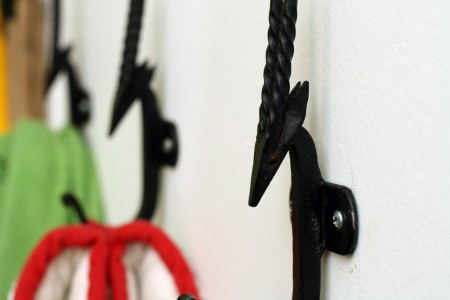
Kitchen hooks

Since the E71 is my first smartphone, I am inevitably responding to both the general medium and the specific device. So far, my experience has been mixed. The phone doesn’t do anything as well as a real computer does – obviously – nor as well as I was hoping when I purchased it. While usable, the keyboard is awkward. The OS is a bit finicky and annoying. The web browser lacks capability and fluidity of use, and even voice calls seem to be of a worse quality than on my cheap old Nokia 6275i.

All that being said, the E71 has the considerable advantage that it puts the internet into a form that fits in a pocket and can be accessed from anywhere. The email and messaging features are those I use and appreciate most, with web browsing and maps following next. The media features are very basic, and I never use them. Coupled with a bluetooth keyboard, the phone is extremely capable for email, texting, and instant messaging. Even without, you can maintain one conversation at a reasonable pace, without needing to strain yourself excessively. Another feature that is surprisingly good is the speakerphone, which can be used quite effectively while cooking or sitting at a desk. The battery life is also good: enough to cover about eight hours of very active internet use. The built-in email app is ok, but limited. Annoyingly, the installable GMail application is only a bit more capable. It cannot, for instance, apply labels to messages. As such, they clutter up my inbox instead of being slotted away into appropriate places. Managing multiple streams of emails is far less intuitive with this interface than with GMail’s excellent online version (not fully usable with the E71 browser). Thankfully, Microsoft’s Mail for Exchange application allows perfect syncing of contacts and calendar items between GMail and the native Nokia apps. Never mind the oddity of using Microsoft software to help Nokia hardware and Google software work well together.

My specific complaints about the E71 include:

  • Annoyingly often, you need to tell the phone to connect to the internet, then using what protocol. For me, the answer is always ‘yes’ and the network is WiFi if available, GPRS otherwise. I dearly wish I could just lock those choices into the whole OS, rather than being forced to enter them literally every five minutes of use.
  • The keyboard is annoyingly small, though that comes part and parcel with a device smaller than an iPhone.
  • Copying and pasting requires an acrobatic manoeuvre: pressing three keys simultaneously, releasing, and then pressing three more.
  • The web browser doesn’t work with a lot of the menus at the back end of WordPress and can be very finicky about posting comments. It also has a viewpoint that lurches around violently as new portions of pages get loaded: super annoying if you are filling in a number of fields.
  • Even with a WordPress-specific app, the phone is not adequate for posting to the blog. For instance, it cannot interact with the WordPress media library, so as to include images in posts.
  • The device won’t download the full content of even small text-only emails. Each time you open one, it goes to a ‘retrieving’ screen that lasts 5-20 seconds.
  • Unlocking the keypad requires pressing two small keys in order. A dedicated lock switch would be better.
  • The camera is rotten, and the video recording is even worse.
  • Bluetooth connections go idle after an absurdly short period of time: maybe 60 seconds. There is no option to alter this.
  • There is no way to use the built-in read LED as a flashlight, as you can on the 6275i.
  • It lacks the super-useful automatic calling card dialler from the 6275i.
  • The voice quality isn’t great. If often sounds a bit like a VoIP phone without enough bandwidth.
  • Both applications and the whole OS crash pretty often, even when you are running programs one at a time. Sometimes, the only way to resolve it is to turn off the device and turn it back on.
  • For some reason, my unlocked E71 can only find a handful of applications in Nokia’s ‘Download!’ area.

Given how well reviewed the E71 is among smartphones, I can only guess that others have even bigger problems. I will admit to wondering whether the iPhone would have been a better choice. For web browsing and media, I would say ‘certainly yes’ since the demo iPhones I have tried are enormously better than the Nokia in both regards. In terms of messaging – which is my number one use – I still think that even a cramped physical keyboard is better than no keyboard at all.

At this stage, about two weeks in, I am less impressed than I expected to be with both smartphones and the E71. That said, it is a useful thing to have when computers are not readily available, and I may grow more accustomed to it as more time passes. One thing I mean to try but haven’t yet is tethering it with my G4 iBook.


Problems with revocable media

Dock and boats

One of the biggest problems with the way information is now distributed is the increasing limitations on how you can use it. With physical media like books and CDs, you had quite a few rights and a lot of security. You could lend the media to friends, use it in any number of ways, and be confident that it would still work decades later. There is much less confidence to be found with new media like music and movies with DRM, games that require a connection to the server to work, mobile phone applications, Kindle books, etc. Companies have shown a disappointing willingness to cripple functionality, or even eliminate it outright, for instance with Amazon deleting books off Kindles. Steven Metalitz, a lawyer representing the RIAA, has stated explicitly that people buying digital media should not expect it to work indefinitely: “We reject the view that copyright owners and their licensees are required to provide consumers with perpetual access to creative works.” Of course, the same people argue that they should be able to maintain their copyrights forever.

The solution to this, I think, is to make it legal for people to break whatever forms of copy protection companies put on their products, as long as the purpose for which they are being broken is fair use. It also wouldn’t hurt to clarify the ownership of such materials in favour of users. A Kindle book should be like a physical book – property of the person that bought it, and not subject to arbitrary modification or revocation by the seller.

Of course, politicians are under more effective pressure from media companies than from ordinary consumers. Perhaps a strong Canadian Pirate Party, asserting the rights of content users over content owners, would be a good thing. Of course, stronger support from mainstream parties that actually hold power would be of much more practical use.

Arguments with climate change deniers

For the sake of organization, here is a list of some of the disagreements that have arisen on this blog between those that accept the scientific consensus that climate change is real, caused by human activity, and dangerous and those who do not. Given that a lot of the deniers seem to flit from blog to blog, leaving misleading comments, cataloging some rebuttals to them seems worthwhile.

This list includes people who believe that climate change is real and a serious problem, but believe for one reason or another that nothing should be done about it.

They are listed here in the order in which they first appeared:

I will add more as they crop up.

See also:

A trio of other blogs that do an especially good job of debunking the arguments of so-called skeptics are: DeSmogBlog, RealClimate, and the ‘How to Talk to a Climate Sceptic‘ series on A Few Things Ill Considered.

Scan this with your camera phone

QR Code example

The above is an example of QR Code: a kind of two-dimensional barcode that can be used to encode any sort of textual data. As cameraphones and smartphones become more common in North America, you may see more and more of these. They are already common in Japan. Nokia has a website that lets you make your own mobile codes. You can make a simple business card like this:

Barcode business card

URLs, phone numbers, and other sorts of information can be similarly encoded.

CRTC public submissions and privacy

Raw Sugar window and Somerset Street

Quite conveniently, the Canadian Radio-television Telecommunications Commission allows citizens to comment on ongoing matters through their website. Unfortunately, the privacy protections employed in relation to the submissions are lacking. Their website says the following:

The information you provide to the Commission as part of a public process (i.e. comments, interventions or observations) is entered into an unsearchable database dedicated to that specific public process. This database is accessible only from the webpage of that particular public process. As a result, a general search of our website with the help of either our own search engine or a third-party search engine will not provide access to the information which was provided as part of a public process.

This doesn’t seem to be true. Searching for my own name in Google brings up the submissions I made to them opposing Bell’s efforts to introduce Usage Based Billing (UBB). The submission includes my full name, personal email address, and phone number.

I complained electronically to the CRTC about this, but got no response. I then sent a letter to the Office of the Privacy Commissioner, with a carbon copy to them. At the very least, the CRTC should obscure email addresses and phone numbers in a way that prevents robots from harvesting them. For instance, obfuscated email addresses can be made to look normal for standard browsers, but like gibberish for most robots. Alternatively, the CRTC could provide a web contact form that lets people contact submitters, without learning their email address. I have no problem with submissions being made public, in the interest of transparency. If it is going to happen, however, people should be clearly informed about it on the page where they submit the information (not some separate privacy information page) and reasonable efforts should be taken to prevent the inappropriate collection of personal information by either people or automated systems.

[Update: 7 August 2009] The CRTC responded to my complaint, and it seems they have come into compliance with their privacy policy.